The Øresund bridge app

The Øresundsbron app – here you can easily and quickly find updated traffic information, great discounts on accommodation and experiences, and with just a few clicks you can update your booking via My Account.
In the app you can easily save your favourites among our partners and download offers – all to make it as easy as possible to plan your journey.
Download the app now in either the App Store or Google Play
App StoreGoogle Play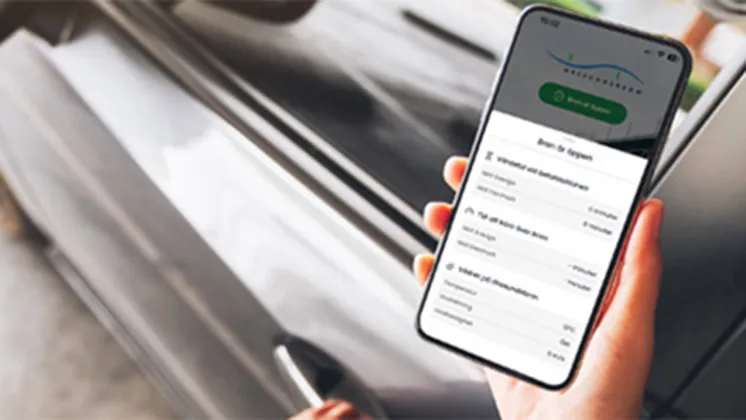
Do you commute over the Øresund bridge?
The app is perfect if you have either ØresundCOMMUTER or ØresundCOMMUTER+. Here you get easy access to the most used features:
Quick access to My account
Change registration number
Receive traffic information via push notifications
Easily find the number to the Traffic Centre
Are you heading out on an adventure in Sweden in your leisure time with ØresundGO?
The app makes it easier for you to make the most of your agreement:
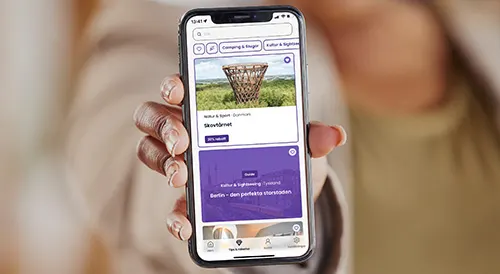
Find all our tips and offers quickly and easily
Save your favorite offers under Favorites
Change your registration number
Receive traffic information via push notifications
Frequently asked questions about the Øresundsbron app
Can I use the app without a discount agreement?
You can still use the app without a discount agreement to get traffic information and find contact details for Øresundsbron's traffic control centre. You can also use it if you want to purchase a single ticket in advance – you'll find that feature under Online tickets.
How do I log in?
You can easily log in to “My Account” in the app using either MitID or BankID, and if you haven't set this up yet, you can log in with your customer number or email address and password.
Can I see the traffic situation in the app?
Yes, you can view real-time traffic information in the app. Right on the app's home screen, you'll find the traffic status at the top. By tapping further from there, you can also see the weather conditions on the bridge as well as live images from the top of the pylon.
How do I change my car/registration number in the app?
You can easily do this by tapping Account -> Vehicles. Here you'll find all vehicles registered to your payment agreement, and you can simply select which vehicles should be active on your agreement.
How do I take advantage of the offers in the app?
You'll find all our great offers under Tips & offers. Some offers can be used by saving the coupon in the app, while others must be booked in advance. You'll find information about this under each individual coupon when you tap Read more and activate the offer.
I have ØresundGO, why can't I use the app?
Some of the app's features can only be used if you have ØresundPAY as your payment provider.