Information for you as an orderer of iTICKETs
Ordering iTICKETs is now available in My account
This functionality has now been moved to My account and will no longer be available on the previous page where you logged in with a contract number. To continue managing and ordering iTICKETs, you now use My Account, where we have gathered the functionality in a more secure and user-friendly way.
Below you will find instructions on how to log in for the first time and how to add users to the company.
Log in to My account – first time
Follow the steps below to get started:
You now log in only with your customer number or email address (not contract number)
The login applies to the email address linked to the company's primary contact
If you are unsure which email address is registered, we ask you to contact customer service for help updating the email address. Customer service will verify your identity according to standard procedures before the email address can be updated.
Go to oresundsbron.com and click on My account
Enter your email address and select Forgot password to create a new password
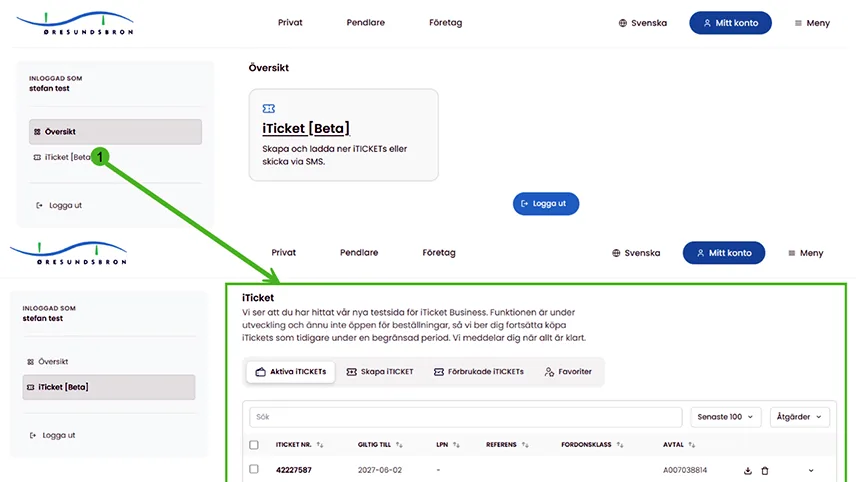
As an administrator, you can now access iTICKET Business via the menu in My account.
Add users for iTICKET Business
As an administrator, you can easily give more people in the company access to order iTICKETs.
Here's how:
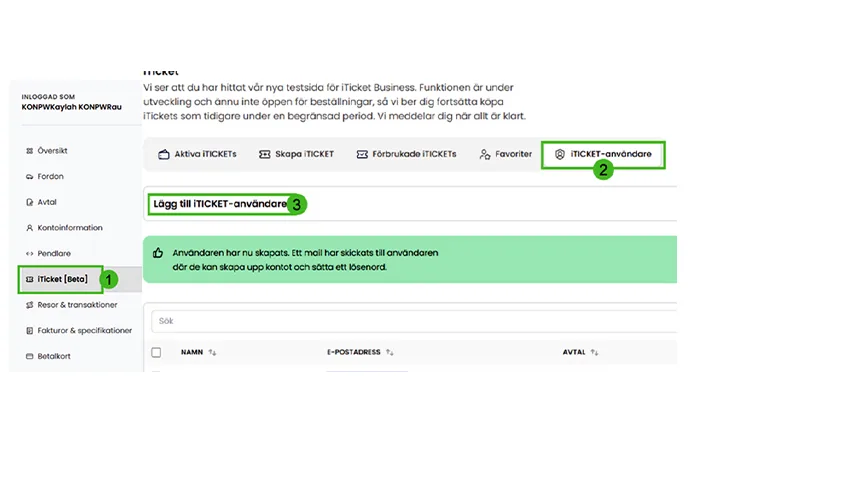
Log in to My account (see instructions above)
Go to the iTICKET Business menu and select iTICKET users
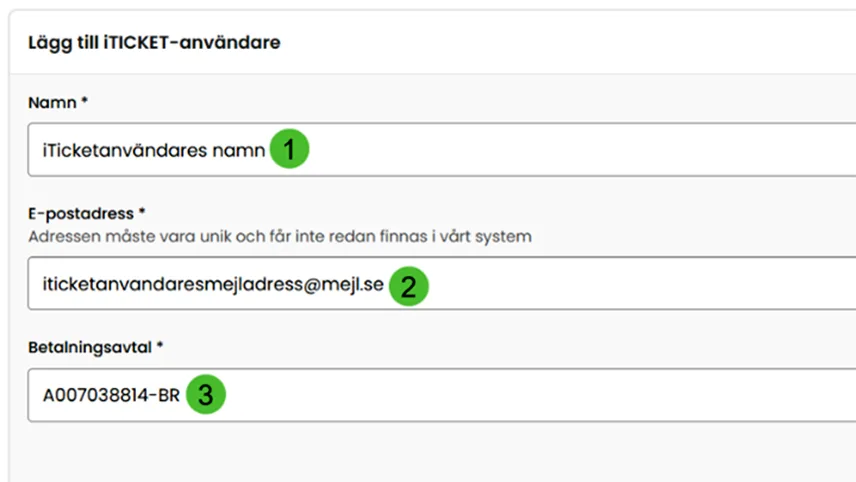
Click on Create iTICKET user and fill in the name, email address and, if applicable, contract (if you have multiple contracts, select the contract the user should have access to)
Please note that the email address must be unique and cannot be linked to another account. Once you have created the user, the person will receive an email to activate their account and create a password.
Instructions for new users
When the account has been created, the user goes to oresundsbron.com, clicks on My account and logs in with their unique email address and the chosen password.
From My account, the user can now:
View active iTICKETs
Create new iTICKETs
View used iTICKETs
Save favourites and send iTICKETs via SMS